Infotainment
Updating a Car Navigation System
There are two different things people mean by updating a navigation system, and confusing them is why some updates do not fix the problem. One replaces the map data. The other replaces the software that runs the system.
What this guide covers
Two Different Updates
Map data
The roads, addresses, junctions and points of interest. This is what people usually mean.
It matters in a region building as quickly as this one. A map a few years old will not have newer developments, junction changes or road layouts, and it will route you badly as a result.
System software
The operating software of the infotainment unit itself: how it responds, how it connects to phones, how stable it is.
If your system is slow, freezes, drops phone connections or reboots itself, that is a software matter and a map update will not touch it.
This is the most common misunderstanding on the subject. Someone pays for a map update hoping to fix a system that crashes, and gets newer maps on a system that still crashes. They are separate things.
How Each Is Done
Over the air
Many newer cars download updates themselves over a built-in connection or your phone hotspot, depending on the manufacturer.
This usually requires the car connectivity subscription to be active, and it often lapses without the owner noticing.
If your car should update itself and has not for a long time, that is the first thing to check.
USB or SD card
The common method on cars of the last decade or so: download from the manufacturer portal, write it to a drive, and install from the car.
Points that catch people out: the drive usually needs a specific format, the file must be at the root rather than in a folder, and the download can be very large.
At a workshop
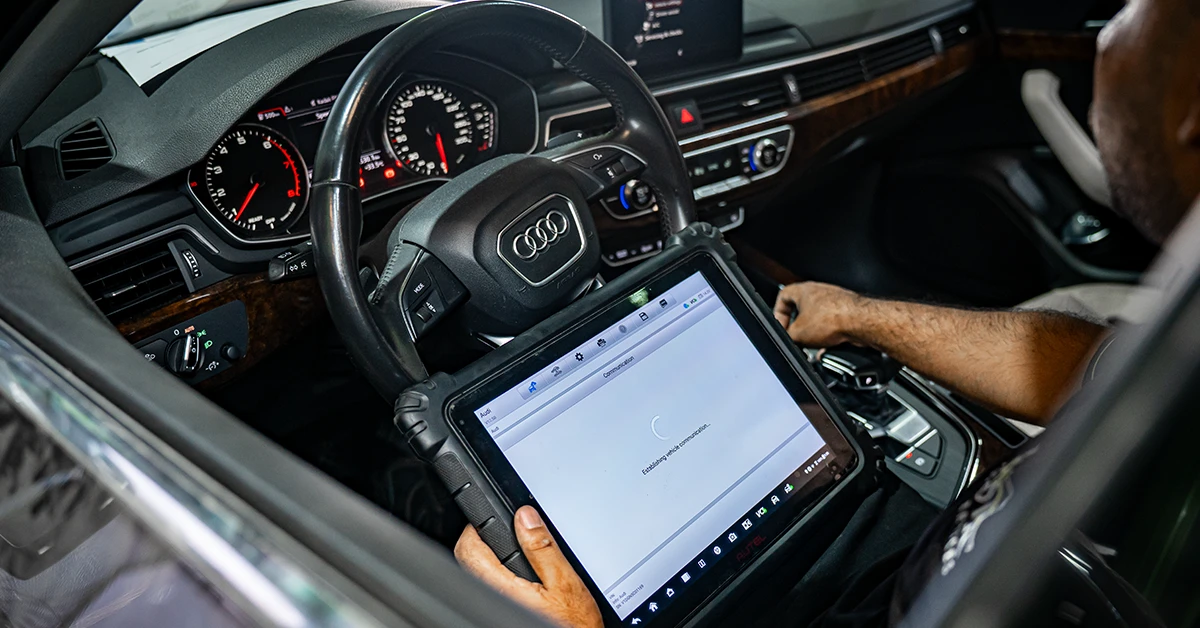
Some systems, particularly full software updates, need manufacturer-level diagnostic equipment and a stable power supply.
This is also the route where a system that has failed part way through an update can be recovered.
The Warning That Matters
If you take one thing from this page, this is it.
Do not interrupt power during an infotainment update.
- Do not switch the ignition off.
- Do not open a door if that puts the car to sleep on your model.
- Do not disconnect the battery or a charger.
- Do not remove the USB drive until the car says it is finished.
An update that is interrupted part way can leave the unit with incomplete software, and in some cases the system will not start at all afterwards.
Recovery sometimes needs manufacturer equipment, and occasionally the unit has to be replaced. It is genuinely one of the more expensive avoidable mistakes an owner can make.
Run the engine during the update rather than sitting on the battery. An hour of an infotainment system writing data will flatten a battery that was already marginal, and a low-voltage event mid-update is exactly the failure above.
Before You Start
- Check which system you have and its current version, usually in a settings or about menu.
- Confirm whether you need maps or software, based on the symptom.
- Check the battery is healthy. Updates take time and voltage matters.
- Park somewhere you can leave the car running safely for an hour or more.
- Allow more time than stated. Progress bars on these systems are optimistic.
If the battery is more than a couple of years old in this climate, testing it first is sensible. See electrical system maintenance.
When It Is Not the Software
Some infotainment complaints are not fixed by any update.
- A screen that responds intermittently to touch, which can be the digitiser.
- Repeated reboots with low system voltage, which is usually the battery or charging rather than the unit.
- Phone connection problems that are the phone operating system rather than the car.
- Poor navigation reception, which can be an aerial or connection fault.
- A unit affected by water ingress, which is a different repair entirely.
That second one is worth checking first, because low voltage causes control units to behave unpredictably and it is cheap to rule out.
Exotic Auto Services in Musaffah can carry out software and map updates with a stable supply, and will check whether the fault is the unit or the voltage feeding it.
Frequently Asked Questions
What is the difference between a map update and a software update?
A map update changes the road data: roads, addresses, junctions and points of interest. A software update changes the operating software of the infotainment unit itself, which is what governs speed, stability and phone connectivity. A system that freezes or crashes needs the second, and a map update will not touch it.
Will a map update fix my slow or crashing infotainment system?
No. That is the most common misunderstanding on this subject. Slowness, freezing, self-rebooting and dropped phone connections are all software behaviour, so newer maps on the same software leave you with the same problems and a better map.
Can I damage my car by updating the navigation?
You can if power is interrupted part way through. An incomplete write can leave the unit unable to start, and recovery sometimes needs manufacturer equipment or a replacement unit. Do not switch off, disconnect anything or remove the USB drive until the car confirms it has finished.
Should the engine be running during an update?
Yes, generally. Updates can take an hour or more and an infotainment system writing data will flatten a marginal battery, and a low-voltage event mid-update is exactly what causes a failed installation. Park somewhere you can safely leave the car running for the duration.
My car should update over the air but has not. Why?
Most often the connectivity subscription has lapsed, which happens quietly and without an obvious warning. Check whether the car online services are still active. Beyond that, poor signal where the car is parked, or updates disabled in the settings menu, are the common causes.